
A probe defines a persistent visual comparison between a Figma design and a live webpage.
It represents what is being compared and serves as the foundation for all visual validation in Uiprobe.
A probe connects two inputs:
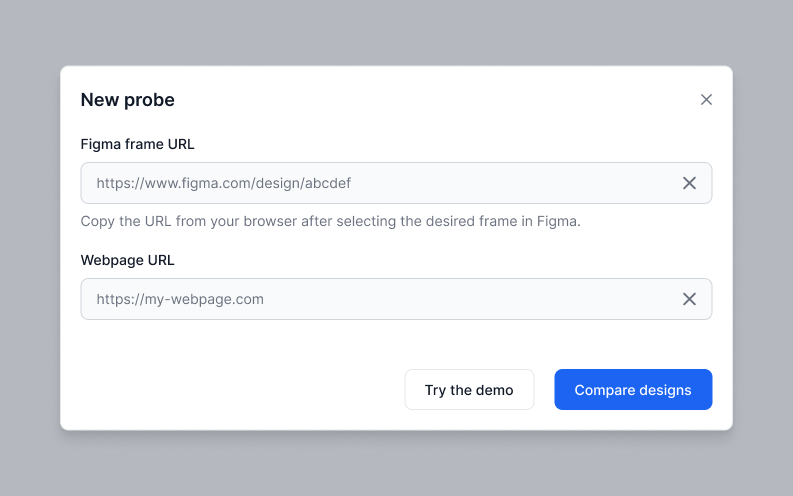
Once created, the probe remains the same, even as its results change over time.
Probes can also be started as draft probes via the Figma plugin. A draft initially has only the Figma frame input. Once a webpage URL is provided, the draft converts to a standard probe.
When a probe is run, Uiprobe performs a visual comparison between the design and the webpage.
The result of each run is stored as a new probe version. Running a probe again never overwrites previous results.
A probe acts as a container for its versions.
Each version represents a snapshot of the comparison at a specific moment in time, allowing you to review visual changes as designs or implementations evolve.
After a probe is created, you can edit its name, Figma frame URL, and webpage URL at any time from the Probe Settings modal.
A few things to know:
Probe Settings can be accessed from the contextual menu on the probe card in the Probes Overview, or from the contextual menu in the Probe Inspector.
A probe run may result in a version with no detected findings.
No findings means the probe ran and nothing was off. That's a result worth sharing — use the Share button to send a read-only link to anyone who needs to see it.
Probes can be shared using public, read-only links.
Sharing provides access to the probe's results and version history without allowing viewers to modify or re-run the probe.


The fastest way to see how your implementation compares to the design. No screenshots, no guessing
Compare
© 2026 · Built by UIPROBE

