
Web app, Chrome extension, and Figma plugin
See exactly where
your live page differs from
the Figma design.
Uiprobe compares the frame to the live page and shows exactly what's different — spacing, colour, type, radius. Runs on any page, including localhost and pages behind a login.

3 free runs to start · No credit card

What it does
The things you'd normally catch by eye, caught automatically.

Open Uiprobe on any page, point it at a Figma frame, and you get a full comparison in seconds. No switching tabs, no annotating screenshots, no Loom videos. Just a list of what's different.

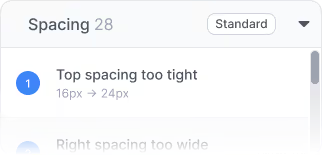
Every finding shows what the frame said and what the page rendered. The expected font size, the actual font size. The expected spacing, the actual spacing. No need to go back into Figma to check.

Each comparison is saved as a version. Run it again after a fix and you see exactly what improved and what's still off. When the count hits zero, you know the implementation reflects the design.

See how it works for QA

See how it works for devs
See how it works for design
How it works
No config, no setup, no learning curve.
1
No separate account, no password to remember. Uiprobe uses your existing Figma login — one click and you're in.
2
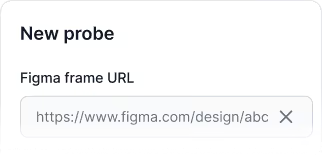
Copy the link to any Figma frame and the URL of the live page you want to compare it against. That's all Uiprobe needs to get started.
3
Uiprobe runs the comparison and gives you a full list of findings — grouped by properties, spacing, and content. Every row shows what the frame said and what the page rendered.
Free to start. No credit card. See your first comparison in under a minute.
Pricing
Check the build against the Figma design. Same comparison, same result, every time.
Every finding shows the expected value and the actual value. Run it before release, fix, run it again.

No credit card required
Free
Three probe runs. Viewing, public links and the Chrome Extension for as long as you like.
$0
3 runs, lifetime · 1 seat
Pro
For devs, designers, and QA engineers comparing production work every week.
$39
/ month
Unlimited probes · 1 seat
Prices shown in USD. Buyers in the US pay in USD, everyone else in EUR (€35). Prices exclude VAT.
From the Learn section
Practical articles on visual QA, design handoff, and getting Figma to code right.

The fastest way to see how your implementation compares to the design. No screenshots, no guessing
Compare
© 2026 · Built by UIPROBE



