Figma plugin · v1.0 beta - Expected soon!

The plugin that
starts the comparison
where your design lives.
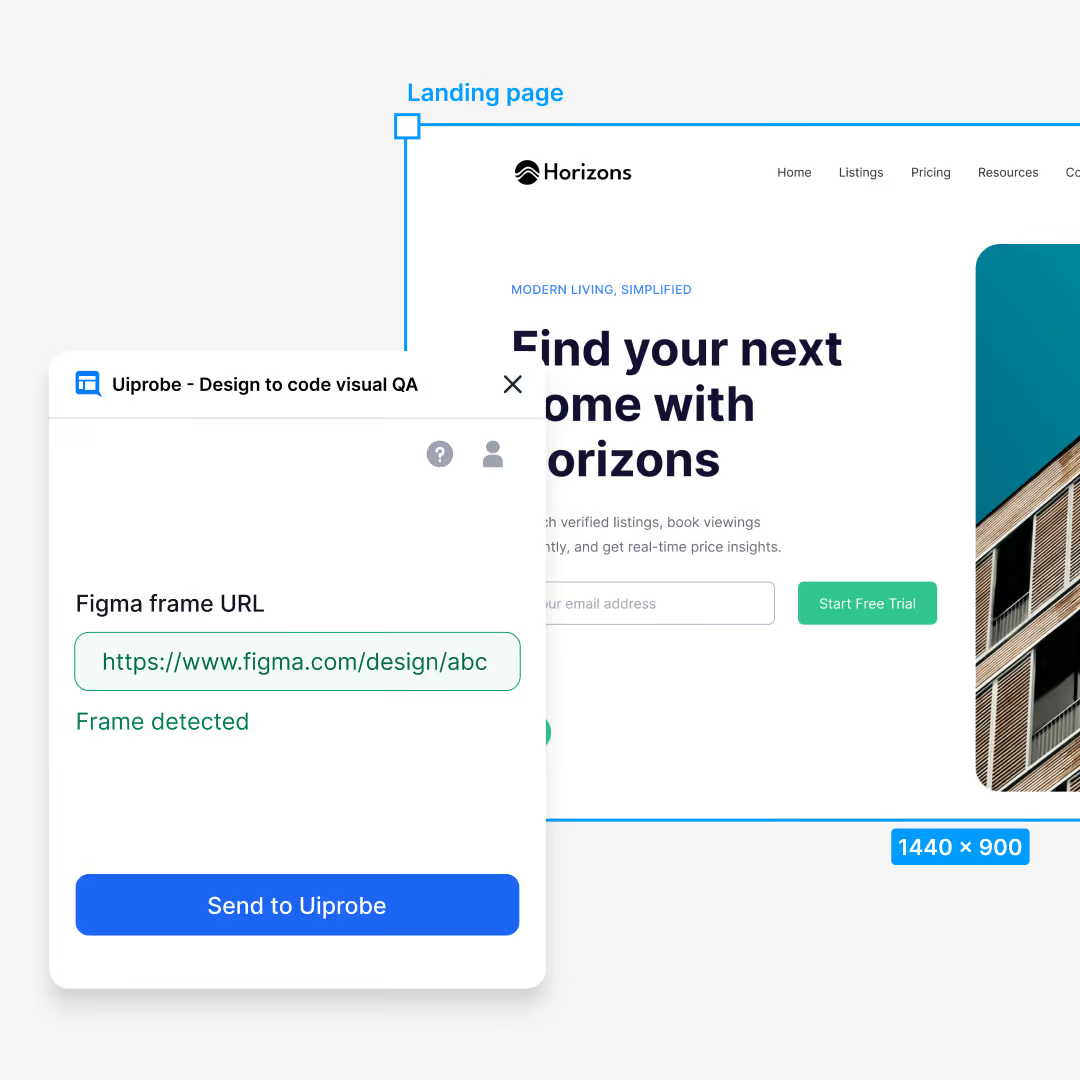
The Uiprobe Figma plugin sends any frame to the web app as a draft probe. Select a frame, paste the URL, and the design data is ready for comparison — no need to leave Figma to start.
Works inside Figma · Free on every plan
01
Why a plugin
You're already looking
at the frame.
The plugin lets you start a comparison without leaving your design file. Paste the frame URL, send it, and the design data is ready in Uiprobe. Because the plugin extracts data locally, it also bypasses Figma REST API rate limits, so Free and Collaborator seats work too.
02
The flow
Sent, complete, review
Three steps across two surfaces. The plugin handles the Figma side; the web app or Chrome Extension handles the webpage.
01
Send the frame
Paste the Figma frame URL and send it.
Copy the frame link from Figma and paste it into the plugin. One click sends the design data to your Uiprobe account as a draft probe.
02
Complete the draft
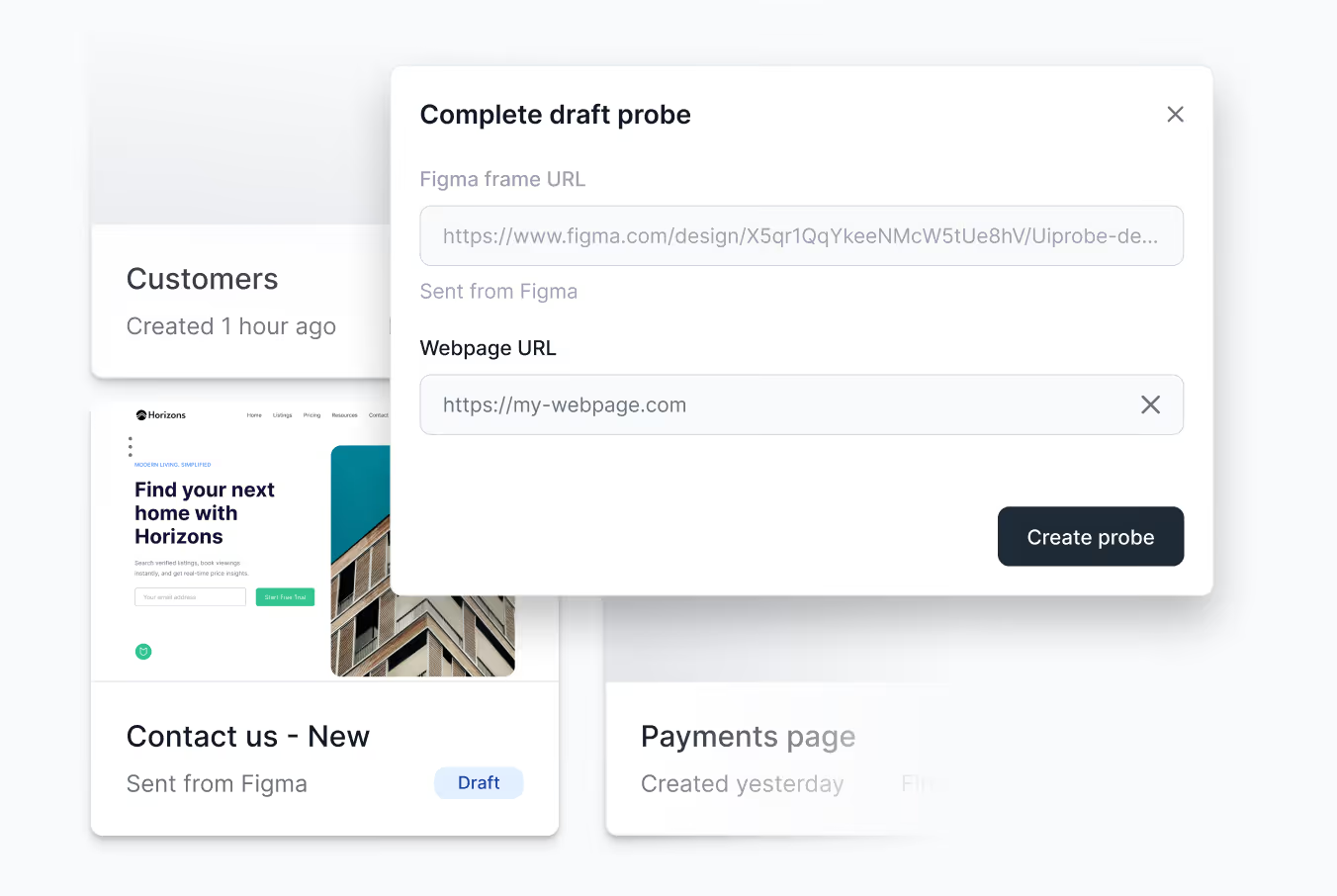
Add a webpage URL in the web app or extension.
Your draft appears in the Probes Overview. Open it, enter the webpage URL, and the comparison starts. The Chrome Extension works too, including localhost and pages behind a login.
03
Review findings
See exactly what diverged
in the web app.
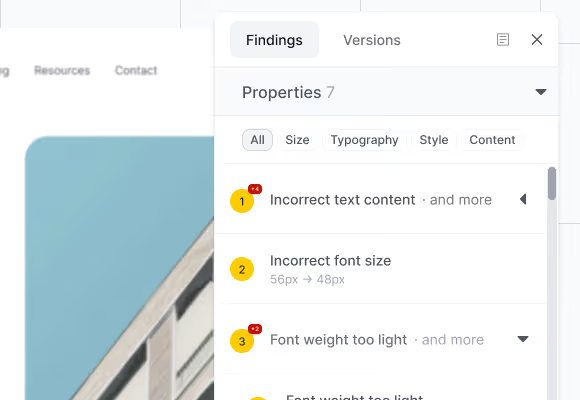
Findings are grouped into Properties, Spacing, and Unverified. Every row shows the expected value from the design and the actual value from the page.
Findings panel showing property findings grouped by type with category filters
03
What it catches
Three lists. Each with the exact values.
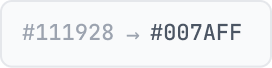
Findings are grouped by what was measured. Every row includes the expected value from the Figma frame and the actual value from the live page. No severity scores, no auto-fix, no task queue.
Properties
Typography, colour, size, style, content.
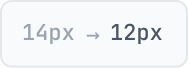
Example of a property finding showing expected and actual color values
Spacing
Gaps, padding, and distances between elements.
Example of a spacing finding showing expected and actual pixel values
Unverified
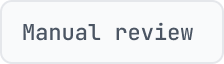
Detected, not yet mapped to the frame. Inspect manually.
Example of an unverified finding requiring manual review
04
Draft probes & the extension
Drafts wait. The extension
reaches localhost.
A draft probe saves the design data from Figma and holds it until you add a webpage URL. No expiry, no cleanup. Complete it from the web app or the Chrome Extension whenever you're ready.
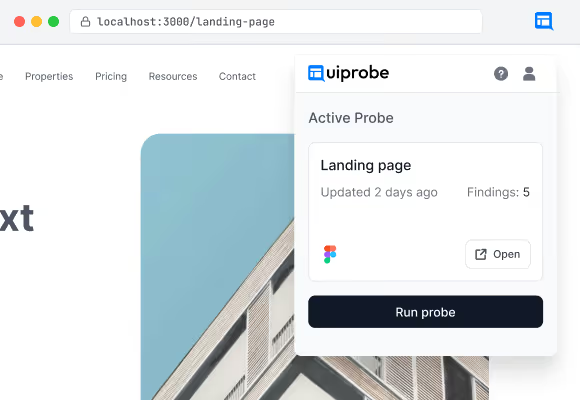
The Chrome Extension pairs drafts with any page your browser can reach. Localhost, staging, pages behind a login. Open the extension, select a draft, and the comparison starts from the tab you're already on.
Chrome Extension popup showing an active probe with finding count and action buttons
05
Install
Four steps. Under a minute.
No onboarding wizard. No team permissions. Open the plugin in Figma, sign in once, and start sending frames.
Requirements
What you need before installing.
A Figma account
Any seat type. Free and Collaborator seats benefit most.
A file with frames
The plugin works with any Figma design file. Select the frame you want to compare.
A webpage to compare against
You don't need it right away. The plugin creates a draft; add the URL later.
Get started
From Figma file to first comparison.
1
Run the plugin in your Figma file
Open it from the Figma menu or search for Uiprobe.
2
Sign in with Figma
Opens a Figma OAuth window. One time only.
3
Paste a frame URL and click "Send to Uiprobe"
The plugin extracts the design data and creates a draft probe. Complete it with a webpage URL whenever you're ready.
4
Complete the draft in the web app or extension
Add the webpage URL and the first comparison starts automatically. Works on localhost and login-gated pages via the Chrome Extension.

Start from Figma

Free to start. No credit card. Send your first frame in under a minute.

Footer: NO CREDIT CARD · WORKS WITH ANY FIGMA SEAT
Uiprobe

The fastest way to see how your implementation compares to the design. No screenshots, no guessing

© 2026 · Built by UIPROBE