FOR SHOPIFY

Your Figma design and your Shopify storefront are not the same thing

Your Figma design and your Shopify storefront are not the same thing

Uiprobe compares your Figma frame against the rendered Shopify page and surfaces every visual difference: colour, typography, spacing, with exact values.

Free forever for personal projects · No credit card

Uiprobe detecting an incorrect font size on a live web page, showing expected and actual values
01
the problem

Shopify themes built from Figma drift during implementation.

Custom Shopify themes start in Figma. The design is precise. The implementation is an interpretation. Font weights round, colour tokens drift, spacing values don't map directly to Shopify's section model.
Catching it manually means opening Figma and the storefront side by side, comparing by eye across product pages, collection templates, and checkout flows. It's slow, inconsistent, and gets harder the larger the theme.
Uiprobe reads both and tells you exactly where they differ.
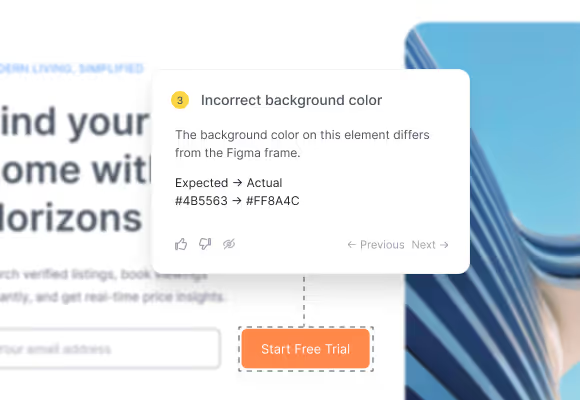
Annotation card showing an incorrect background color with expected and actual hex values
02
where it drifts

Shopify's section architecture and Figma frames don't map one-to-one.

A Figma frame is a flat representation of design intent. A Shopify section is a structured block with its own spacing rules, typography defaults, and responsive behaviour. What looks right in the editor diverges from the Figma frame in ways that pass a quick scan but matter on a live storefront.
03
the verification step

Every finding shows the Figma value and what Shopify rendered.

Uiprobe doesn't show you an overlay to eyeball. It tells you what the Figma spec says and what the rendered storefront has, for every finding. Incorrect colour: expected #1A1A2E, actual #1C1C3A. That's the information you need to fix the section style or update the Figma frame.
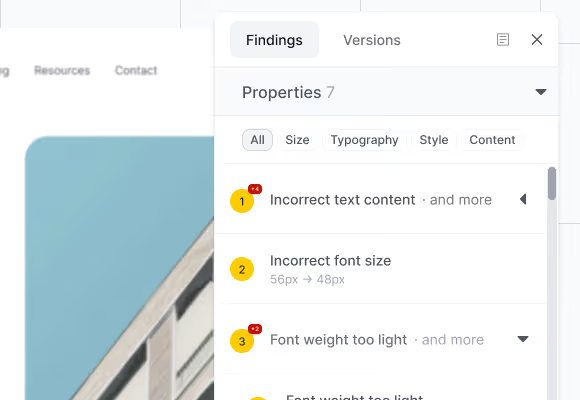
Findings panel showing property findings grouped by type with category filters
04
how it works

From Figma frame to verified storefront in seconds.

Three steps. No setup beyond a Figma sign-in.
Step 01

Paste the URLs.

Paste your Figma frame URL and the Shopify storefront URL: a product page, collection, or any theme template.
Step 02

Uiprobe runs the comparison.

Uiprobe reads the Figma spec and the rendered Shopify page and surfaces every visual difference as a finding with exact values.
Step 03

Review the findings.

Findings are organised by Properties, Spacing, and Unverified. Fix the section style, update the Liquid template, or note the accepted deviation, then re-run.

From the Learn section

We write about the gap
between design and code.

Practical articles on visual QA, design handoff, and getting Figma to code right.

See exactly where your Shopify
build diverges from Figma

Sign in with Figma. Point Uiprobe at the page. See every difference in seconds.

Footer: NO CREDIT CARD · WORKS WITH ANY FIGMA SEAT

© 2026 · Built by UIPROBE